Troubleshooting Container Network Impacting Host Network Access
Problem Description
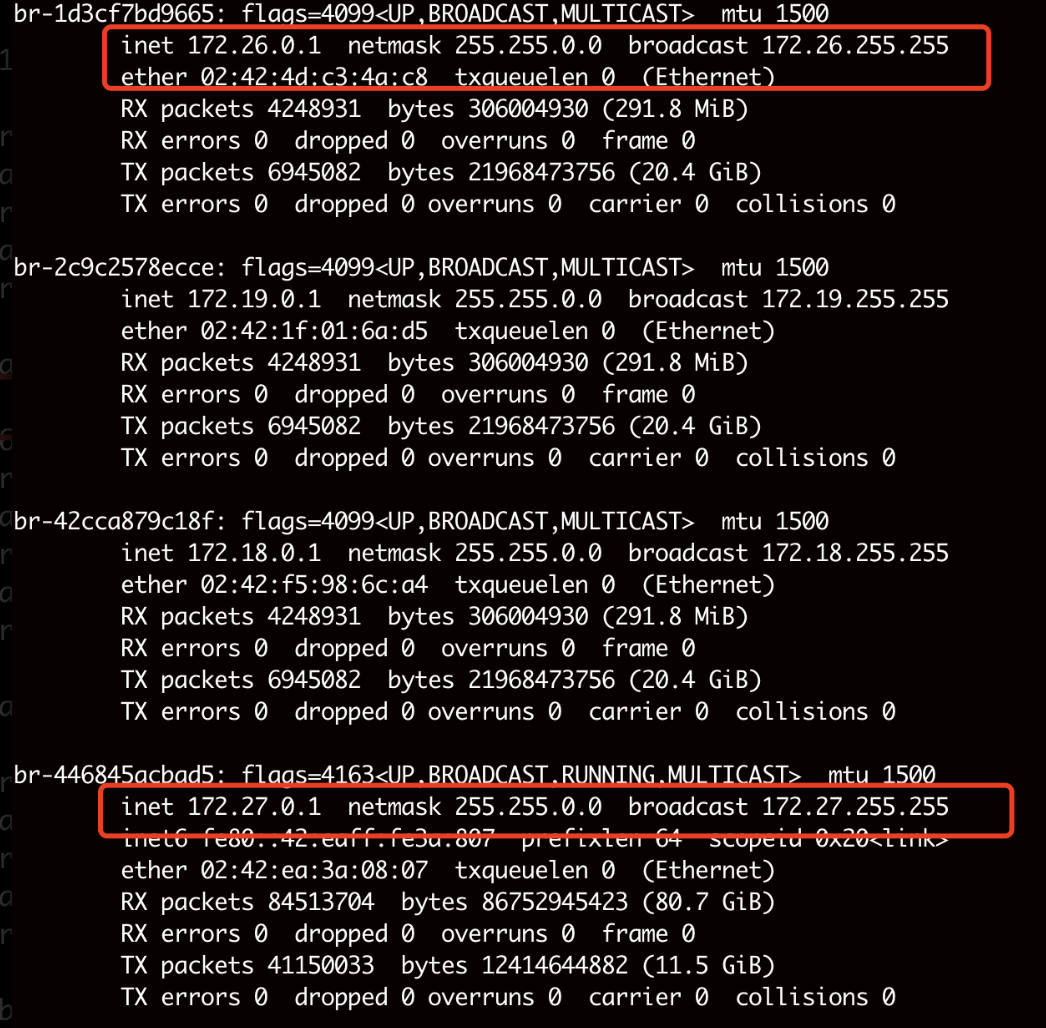
Services in the 172.27.0.0/16 and 172.26.0.0/16 subnets are unable to access the host’s services.
Problem Troubleshooting
 1
 2
 3
 4
 5
 6
 7
 8
 9
10
11
12
13
14
15
| docker network ls
NETWORK ID NAME DRIVER SCOPE
8eacdcbf22d7 7b-full_default bridge local
f22af6f77037 bridge bridge local
4a56201be716 host host local
6e36d25cdbb0 llama2-13b-lora_default bridge local
fb2839792d18 llama3-8b_lora_default bridge local
d1f916892b02 none null local
2c9c2578ecce tgi_default bridge local
446845acbad5 v2-9b_default bridge local
d1301d605f3c v2-27b-it_default bridge local
c3d523d51ee4 v3-8b_default bridge local
1d3cf7bd9665 v4-9b_default bridge local
59aecf59ca81 v31-8b_default bridge local
42cca879c18f webui-docker_default bridge local
|
It is found that the network IDs 1d3cf7bd9665 and 1d3cf7bd9665 are using the 172.27.0.0/16 and 172.26.0.0/16 subnets, causing routing conflicts. The Linux kernel’s routing mechanism prioritizes the most matching route, which can override the default route, causing traffic to be incorrectly directed to Docker.
Solution
Modify Docker Configuration to Avoid Conflict Subnets
1
2
3
4
5
6
7
8
9
| {
"bip": "192.168.100.1/24",
"default-address-pools": [
{
"base": "192.168.200.0/20",
"size": 24
}
]
}
|
Create Containers Using Specific Networks
1
| docker network create --subnet=xx.xx.xx.xx/24 my_custom_network
|
If It Is Necessary to Keep the Conflict Subnets, Modify Host Routing to Prioritize External Networks
1
2
| ip route del 172.27.0.0/16
ip route add 172.27.0.0/16 via <external_gateway> metric 100
|