
Problem Background
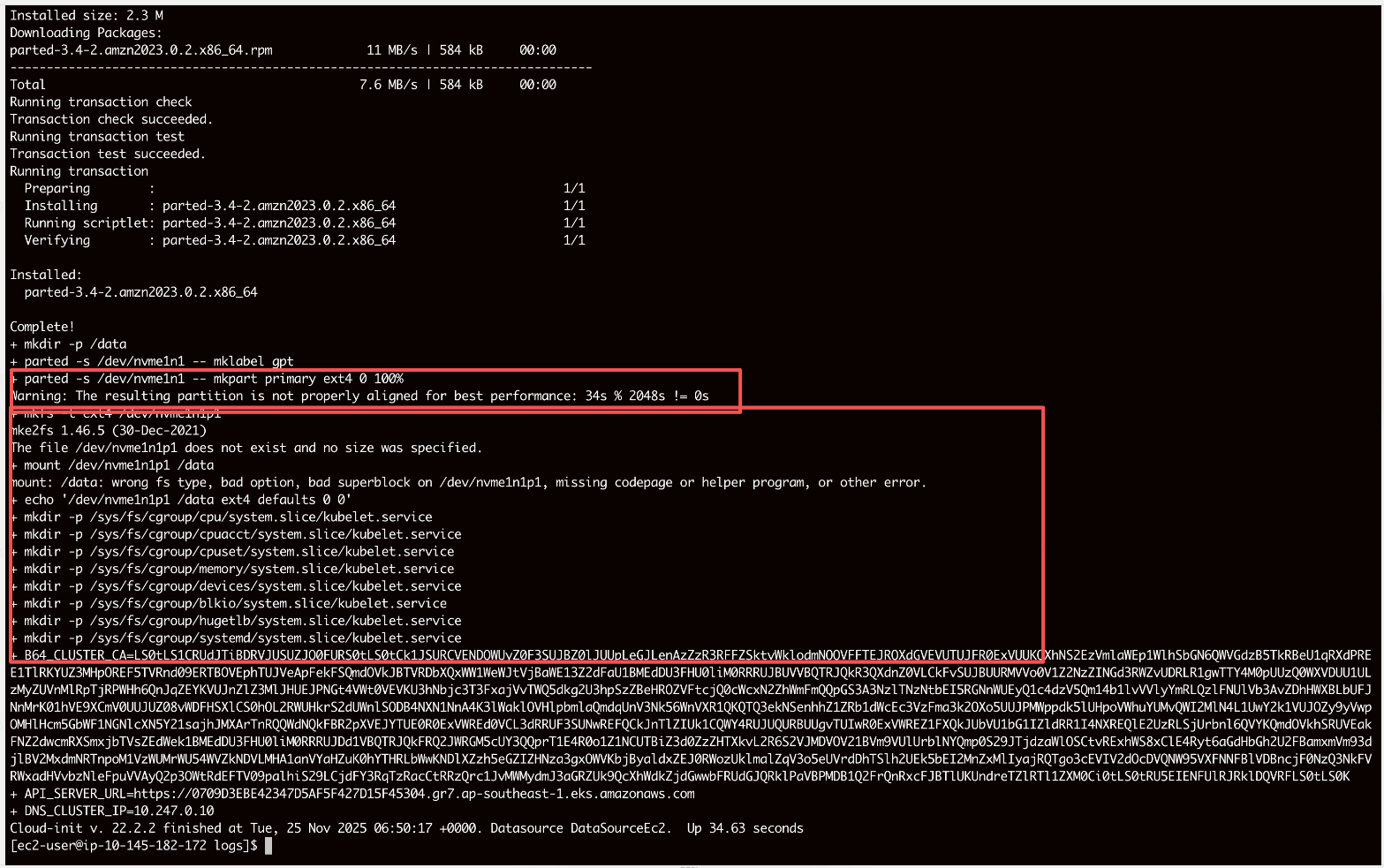
The data disk failed to mount, causing log files to be written to the root disk, leading to multiple disk alarms.
The kernel had not yet refreshed the partition table to generate the /dev/nvme1n1p1 device file when the mkfs command was executed, resulting in a failed formatting.
Solution
| |
Difference between 0 and 0% in parted
0: Indicates a mandatory requirement for the partition to start from the 0th byte/sector of the disk.
0%: Aligns automatically, starting the partition at the best alignment point. Parted automatically skips the reserved space at the beginning and typically sets the starting position at sector 2048.
partprobe /dev/nvme1n1
Notifies the kernel (Kernel) to immediately reread the partition table.
udevadm settle
Blocks (pauses) script execution until udev has processed all device events. The script can only continue after all device files have been created.
User Data Script
Location of user script: /var/lib/cloud/instance/user-data.txt
Location of logs: /var/log/cloud-init-output.log