
After deploying the blog, you need to ensure that search engines can index the blog.
Obtain Measurement ID
Google Analytics Official Website
Each website in Google Analytics has a unique Measurement ID, formatted as G-XXXXXXXXXX. This ID is used to send website visit data to Google Analytics.
Add the following configuration to hugo.yaml:
If you are using YAML format, note that it should be the top-level configuration
| |
Submit sitemap
A sitemap is an XML file that tells search engines which pages your website has.
Hugo automatically generates a sitemap.xml file in the root directory of the public folder during the generation and deployment of the website.
Log in to Google Search Console. Select “Google Analytics” under the verification of ownership options and enter your Measurement ID to verify ownership.
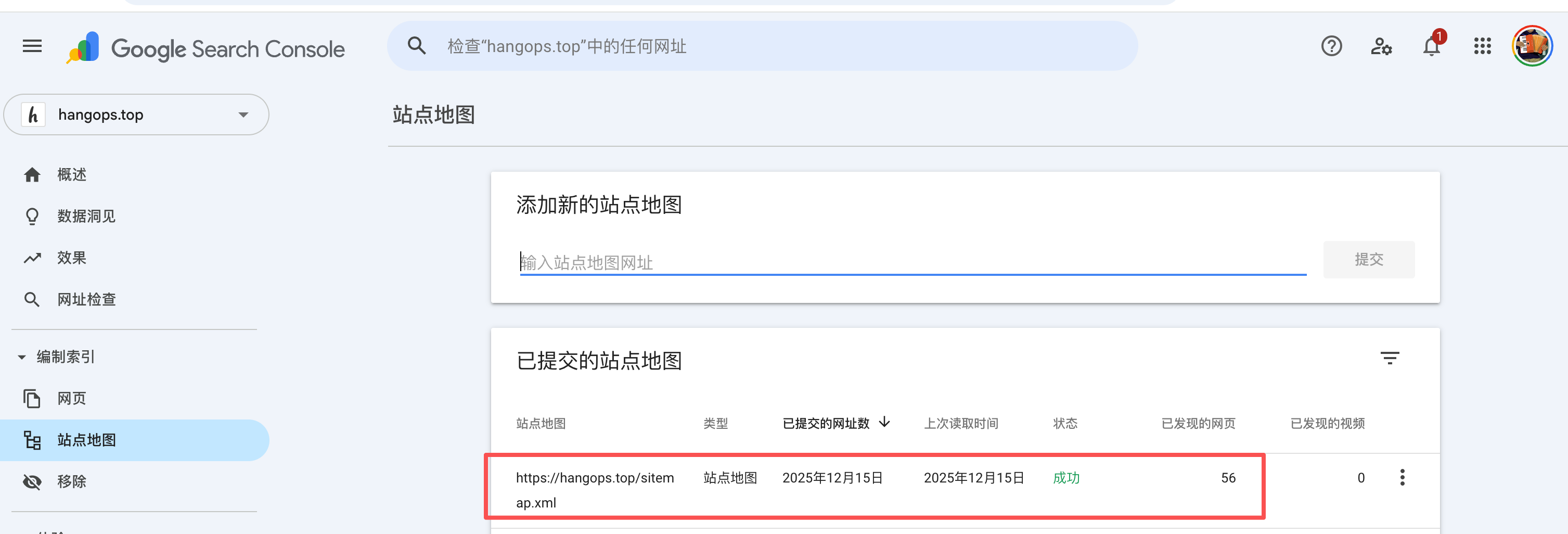
Here is a screenshot of a successfully submitted sitemap
How to verify if articles have been indexed by Google
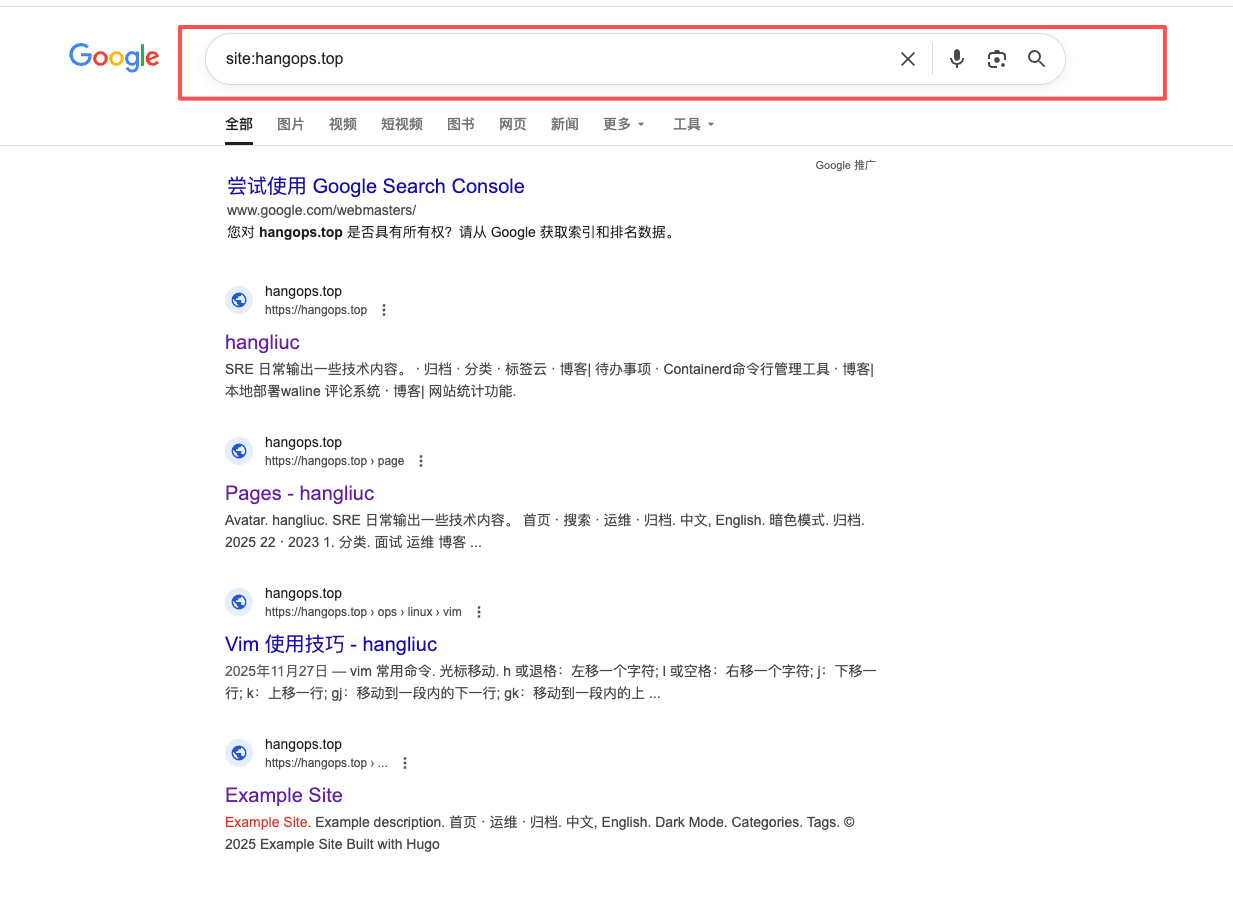
For a new site, Google may take a few days to several weeks to index all pages.
Google Search Console Verification
Directly search in the top search box, enter your article link to verify if it has been indexed.
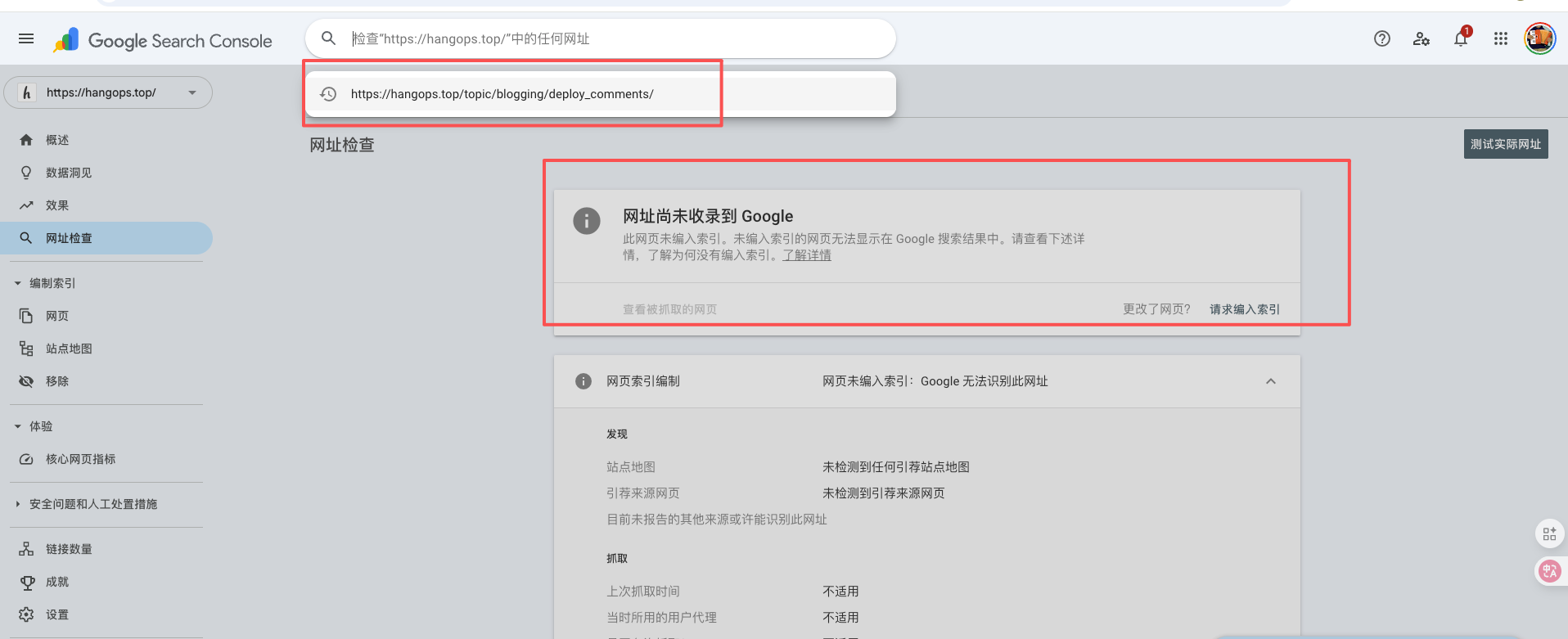
You can also click “Request indexing” to request Google to index your article.
Google Search Verification
tips:
- Verification of indexing may take a few days to several weeks to complete.
- Try to increase the keyword density in article titles to make them more attractive and encourage users to click.
Baidu
- Log in to Baidu Search Console
- Add the domain according to the requirements and use normal inclusion to push resources
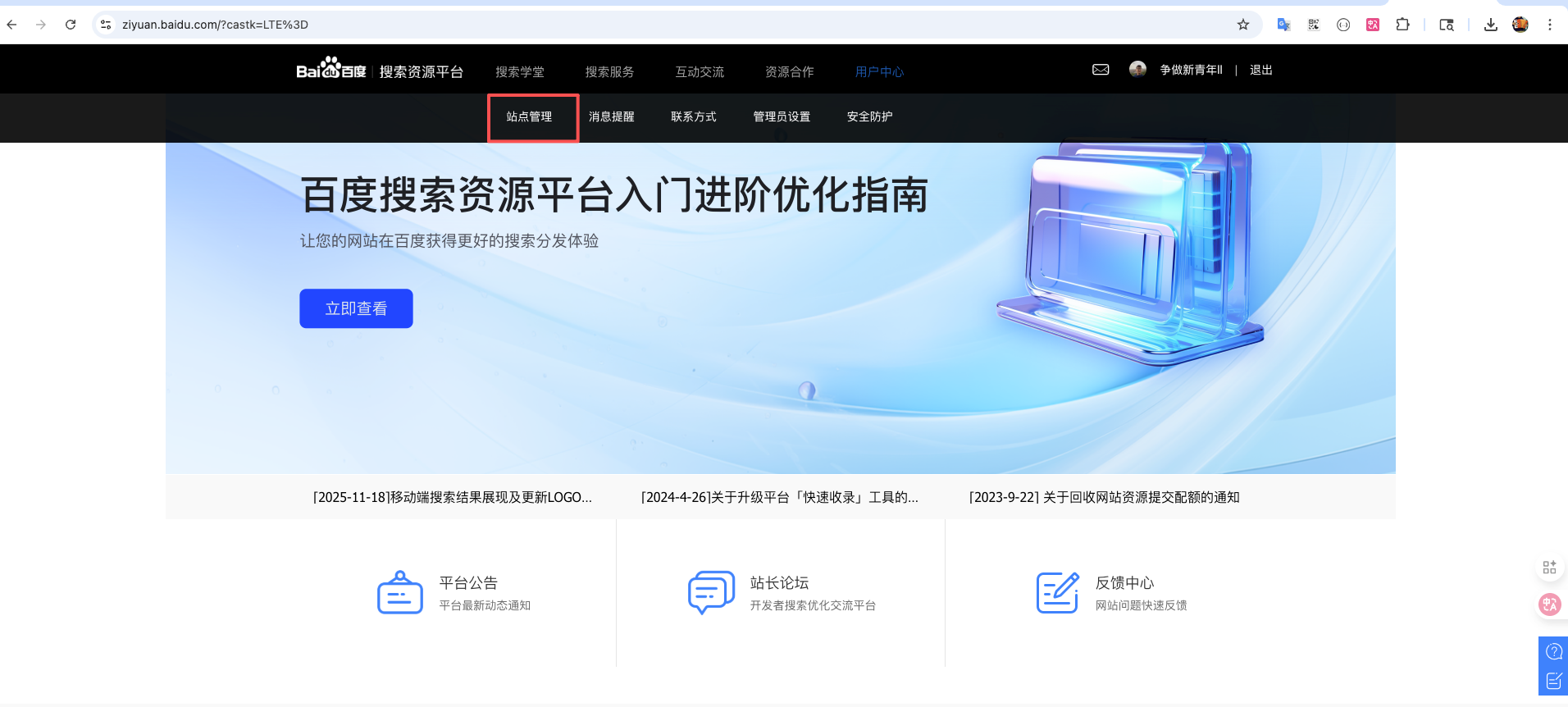
- When submitting the sitemap.xml file, a filing number is required, so it is not added here.
- There is a daily limit on the number of API submissions.